Showing posts with label Wireless Booster. Show all posts

Wednesday, November 2

Easy Homemade Sectoral Antenna

Part :
1. Pipe Paralon 3"
2. Pigtail
3. Alumunium Foil
4. The Hands Bore
5. The Hammer
6. Closed the pipe
7. The nut and the bolt


homemade sectoral
This is part that I need to create Sectoral antenna.


homemade sectoral

And also make that alumunium foil for this hole, it used for gound when you place pigtail.
I used electric gimlet for make hole in Pipe that use to pigtail.


homemade sectoral

 In this Pic, I use the alumuium Foil in surface of pipe.


homemade sectoral


homemade sectoral

Use alumunium foil too in duff (close pipe)


homemade sectoral
The piece copper with the long measurement 3 inch, then gave tin on the end.

homemade sectoral

Soldier the pigtail with a copper. And measuring the length of copper.


homemade sectoral

Now pigtail was ready in put in the pipe that was given alumunium foil.


homemade sectoral

Use the iron plate as the mount of this antenna sectoral and used the bolt as well as the nut to tighten him

homemade sectoral

Attach this iron plate in closed the pipe that was given alumunium foil.


homemade sectoral


Now homemade antenna sectoral you were, it's so easy right :)

Read more →

Tuesday, November 1

Antenna Wi-Fi Gear with 12 Mile Range

LinksysNew wireless networking gear lets users log on to their service provider from 12 miles away. But the service may mean bad news for 3G, and it is here today Communications equipment maker Proxim became the latest company to sell high-powered Wi-Fi networks that travel long distances, essentially providing buyers with an "ISP in a box", the company's chief executive, Jonathan Zakin, said last week.


These versions of wireless networks using the Wi-Fi, or 802.11b, standard create a wireless zone of up to 12 miles long, far beyond the usual 300-foot-radius range that Wi-Fi typically achieves, Zakin said. Overkill for use inside a home, where most Wi-Fi networks are currently found, the long-range Wi-Fi gear from Proxim and others is meant for small Web service providers. It lets them beam long-range signals outside, particularly to sell broadband access in rural areas where DSL (digital subscriber lines) or cable broadband service haven't reached, Zakin said."..."The new technology is a further boost to the long-standing 802.11b standard, but it may come at the expense of 3G, the set of standards that have been developed for sending and receiving broadband data such as live video and CD-quality audio from compact mobile phone handsets. Mobile phone network operators have found that rolling out 3G is a pricey proposition, with European operators alone having spent 1bn euros (about £640m) on 3G licences.


Proxim, which sells a third of the world's Wi-Fi equipment, is the largest company yet to enter the market selling long-range Wi-Fi equipment. Others with uber-Wi-Fi networks include cordless-phone maker Engenius and networking companies Linksys and D-Link. These companies said they've had success peddling the gear to Web providers that are even smaller than Proxim's customers.


A bigger fish than Proxim is around the corner: Chipmaker Intel is also interested in entering the market, according to Kurt Sehnert, Intel's mobile platform group manager. Intel will likely choose to partner with someone already making the equipment, rather than develop its own, he said.


The Santa Clara, California-based chipmaking giant, which recently announced a wireless strategy, is also readying a PC card modem, code-named Calexico. The card will contain the first Wi-Fi chips made by Intel and is expected to appear in notebook computers early next year.
Proxim's gear is already being used by likes of Mile High Online in Denver, Colorado and Prairie Inet in West Des Moines, Iowa. The companies send broadband access to homes and business in their hard-to-reach areas, Zakin said.


The Proxim product can achieve long distances because the company boosted the power inside its access points -- the radios that create the network. It also added additional antennas to the access points so signals could be beamed directly to a home, rather than creating a cloud of access.
Proxim's product, priced from about ,000 to ,000 (£1,280 to £3,840), will include all the equipment necessary to become a small-scale network provider. The price differs depending on the quality of equipment and add-ons that a buyer may want. Each kit can serve about 250 customers.
By pushing Wi-Fi networks for outdoor use, Proxim and others are joining a new and growing market.


A cellular technology called w-CDMA (wideband code division multiple access) sends broadband access to rural areas, including the entire island of Maui in the Hawaiian archipelago. This technology is being used as the European standard for 3G.

Usually, w-CDMA signals travel all over, bouncing off trees or buildings. The signals themselves can get so misdirected they actually interfere with each other as they find their way to a handset or cellular base station's antenna, said Jon Hambidge, senior director of marketing for IPWireless, one of the companies that uses the technology. But IPWireless recombines the signals to decrease the usual number of dropped calls or suddenly ended Web sessions, which result from the misdirected signals, Hambidge said.


Another outdoor wireless technology vying for the rural market of Wi-Fi wireless service is MMDS (Multipoint Microwave Distribution System). Sprint PCS is using the technology to deliver broadband access to homes in the Houston area on a trial basis. Unlike Wi-Fi, MMDS uses licensed spectrum; the two technologies also use different types of modems from one another. The Sprint PCS trial is generating some interest in the technology among other Internet service providers.


There is also proprietary equipment for the market. Wireless ISP Aerie Networks of Denver uses equipment to run a high-speed wireless Web network in some areas of the country. Its patented equipment consists of radio receivers mounted to utility poles that shower an area with Internet access."
Read more →

Tuesday, March 8

Wireless Antenna Signal Booster

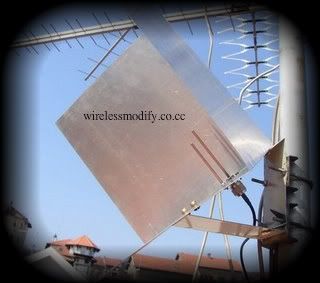
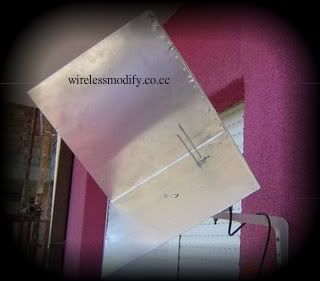
Today, I try to keep on my leatest posting about flat pannel antenna 18dB. Flat pannel antenna home made that I studies from website www.lan32.ru and I practice and I make it myself now that I will test-driving by link by one of ISP Wireless small-scale at my place region.With this antenna, I can get wireless signal booster.

Just begin antenna's makings flat pannel this, material that we provides for flat pannel antenna this for example:
1. Flat pannel  antenna 18dB
2. Stanchion for aerial flat panel
3. Pigtail's cable flat antenna link pane by access point
4. Access point linksys wrt54GL
5. And my Toshiba notebook

Here in we try to link among transmitting aerial ISP Wireless RTRWNET- DAU and receiver antenna which is flat pannel antenna ourselves with distance is 4KM there abouts.

Read more →

Thursday, February 17

Wireless Signal Booster for Laptops

Continuing my older post about wifi range of laptop can be increasing, wireless signals are susceptible to a lot of losses of data. The topography of the place where you stay is also a deciding factor, when it comes to the wireless signal strength that you will be receiving. If a large number of trees or buildings come in between your laptop and the router you are connecting to, then your signal strength will be almost nil.

Besides everything, the wireless network cards, that come inbuilt, have very limited power and range. The answer then lies in using a wireless signal booster. A simple solution is getting a wireless card with a higher power or attaching an external USB antenna to the laptop.

There are various vendors who manufacture wireless signal boosters. These are simple devices and can simply be plugged into the USB port of your laptop. The taller the antenna of your wireless booster, the better the reception. The working of the wireless booster is pretty simple. It accepts strong signals from the router and amplifies them inside your network, thus increasing your signal strength to a great deal. For those who are interested, I am putting in a little more detailed working methodology of a wireless signal booster.

Read more →

Wireless Signal Booster

All wireless networks are based on radio wave transmission. That means, they also inherit all the shortcomings of radio communication which is a drop in signal strength over distances. When you setup a wireless network at home, you will realize that the range of wireless networking has inherent limitations due to internal transmitter's transmission power and physical constraints imposed by walls and roofs. There are many ways in which you can boost the strength of a WiFi network. One way of substantially boosting the signal strength of a wireless router is to get a wireless signal booster to work with it. In the rest of the article, I'll explain how wireless or WiFi signal boosters work. I'll also present reviews of some of the best wireless signal boosters that are available in the market.

You can change the location of your wireless router, buy a more powerful router, opt for a faster network standard (802.11n for example) or just opt for a WiFi signal booster offered in the market. The last option is the simplest. The following writeup will help you in understanding why it's a better choice. Get a wireless signal booster for laptop computer and enjoy better Internet speeds.
Read more →

Build Yourself Wireless Booster Helical Antenna

A helical antenna is constructed from a wire that is wound to form a coil or a helix. Here's how to build one wireless booster :

1. Prepare materials and equipment needed. First get the standard cable households with diameter 12 gauge or 14 gauge. Diameter of which is not an important factor in the performance of the main antenna. However, because the antenna must be placed outside the home, he must be strong and heavy as the size of which is above. Length must be in accordance with the length of the field around the antenna. In addition, a PVC pipe with a size of 40 cm diameter and 40mm will be used to keep out the wind with a wire surounded. Other materials that must be purchased from the store is a metal mesh to the ground plate; Impedance stub consisting of a copper foil strip with a triangular-shaped dimensions 17mm and 71mm in height of a male coaxial cable, screws for the antenna to the ground plate; the end of a PVC a hat that will cover in accordance with the size of pipe, a plug cap that will be used to cover the end of the pipe, and PVC cement secukupnya. There screwdrivers, an electric drill, and soldering iron in the reach during the set up.

2. Mark the PVC pipe. On PVC pipe, across the surface pipe PVC with cable on the pipe. Make sure the coil the same distance across the surface of the PVC pipe that is 3cm. Make sure that the Helical antenna is optimized, consider to make a circle approximately 12 on the pipe.

Read more →

Sunday, February 6

Build a BiQuad 3x WiFi Booster Wardriving WiFi Antenna

Never built an antenna, this is a great first kit for a child or adult - easy to build in less than an hour and very powerful. The cheapest Bi-Quad WiFi antenna with 10x power increase.


This kit comes complete with a full set of instructions. The only tool needed is a butane torch or butane lighter available from any local store or gas station. This kit is exceptionally easy to construct, versatile, and with a variety of installation options. (horizontal or vertical.) The antenna is very powerful (+12 dBi or 3-4x power increase,) yet lightweight. You can also attach the antenna to a car, or mount it on the dashboard for mobile usage.

You can buy Build a BiQuad 3x WiFi Booster Wardriving for only $10 at amazon.


Read more →

Sunday, July 4

Wireless Booster | Problem and Solution - Part 2

Real Problem 4
Users too much, channels are available in 2.4 wireless antenna are too few, most or all the channels already in use (in fact only 3-4 channels interfere with each other, the others all overlapping frequency) so that interference in the tower itself was a lot.

Stupid solution :
Some customers who complained about the link try to overcome interference by installing wireless booster!

Real Solution 4
GPS capitalize we can obtain data about: the coordinates of the location customers and the distance from the tower NOC. Then make a table of contents user: name user, the degree (if shot with a compass), distance from the tower, channels who used, the allocated bandwidth. Then we make a circular diagram, with the center of the circle the Tower, making the contours of the circle to the distance, eg 1km, 2km, 3km and so on. And by using our user and map the location of the line drawn center. Use colors to distinguish different users on line which almost coincide.


Well, from this chart we can know the density of users and signal beam. Based on this chart we can take steps to action:

  • User the same direction as, if using a PTP can be combined into one, especially if bandwith used not too large, then it can be combined in one Access Point
  • Accordance no.1 if the user requires a large bandwidth and reply each PTP will continue to use channel choose a non-mutual overlapping
  • Accordance no.2 if using channel overlapping each other, then use polarization antennas for different PTP minimize interference.
  • User conflicting direction 180 degrees to avoid using the same channel / overlapping
  • Accordance no.4 if forced to use overlapping the antenna polarization different
  • Prioritize users that require large bandwidth (eg 512kbps) from interference noise channel by freeing the user to use other in the same tower.
  • Combine small users in one acess point, if beamnya coincide, then use grid antenna, but if beamnya wide enough then use an antenna sectoral.


Real Problem 5
One client is in trouble, from the very beginning the installation there was always a packet loss, latency big, but a good signal, but the data broken through. what the hell? because out of the way, you get the solution.


Stupid solution : 
Used wireless booster pairs in the hope the problem can be resolved.

Solution Problem 5
Try to look at the client side, is there an electric field / electromagnetic big enough? whether your client with its location adjacent channel power High voltage? whether the computer monitor where your customers rock? The data will be distorted if there is good enough interference from the field electricity. let alone a radio signal, packet data through UTP cable can be damaged! Specifically for radio equipment that is placed adjacent to the electric field with high, do the following:

  • Grounding the tower
  • Use a metal box with a good reply with grounding (connected to the tower with ground)
  • If tower / box have a ground, the radio wrap with aluminum foil and connect with the body connector on your wifi radio.
  • Use STP cable (no UTP) to reduce interference on the cable
  • For the tower that is not ground (grounding a lightning rod, but isolated with the tower) then connect your tower to the ground. is usually tower at the shop ill-mannered grounding well. Specifically for reducing the electric field disturbance in the computer equipment in the room do the following
  • Install shield on the side facing the building with a voltage power cable high. Here shield-shaped cage / bars ground to stifle electric field disturbance at the building.
  • Use grounding in on roof, the function for shield also attention to open internet cafe / office based on IT technologies

"Avoid building directly adjacent to the High Voltage Line"
Read more →

Saturday, April 3

Always Get Secure In Public WiFi

Keeping your wireless traffic secure while you read your emails at the local coffee shop will prevent anyone sniffing your emails, or worse - your passwords. We detail the options availble for keeping your WiFi connection safe. Whenever we come across a public wireless service provided by either the local coffee shop, or the conference centre we are visiting, it's very easy to just jump right on and start using it just the same as we would if we were at home, or at work. But it's rarely safe to do so.

If the wireless is open to anyone, then usually it's not even encrypted, so anyone (with the right software) can sniff your wireless traffic straight out of the ether. Even if the wireless is encrypted you cannot guarantee the security of your connection, because if it uses a common password, it can be possible for anyone else who also knows the password to just decrypt your traffic as easy as pie.


If you use the connection to check your email, or log into your regular forum haunts (cookies may log you in automatically) then anyone sniffing your traffic, can easily pick up your user name and password, and log in as you whenever they like, allowing them easy pickings to at the least abuse your online identity, and at worst, steal your identity completely.

By taking a few precautions you can ensure the safety of your traffic, while still getting the benefit of free WiFi access.


1. Don't Forget Your Firewall

If you usually use your laptop at work or home, then it's easy to forget to check that the firewall is covering your wireless connection. Most times when setting up a firewall we just configure it to protect us on a dialup connection, and not our wireless connection, as it makes sharing files and printers easier. But as soon as you connect to an open wireless connection, are you sure you still want to be sharing all of your files with everyone else in the coffee shop? Thought not.


So before you connect, make sure your wireless connection is flagged as protected by a firewall. If you are using windows XP, just looking for the padlock on the icon for your wireless connection in the Network connections control panel, is not enough, as by default the XP firewall only protects you from internet traffic, not local traffic, so you need to secure your XP firewall. If you are using some other firewall (Norton, zonealarm etc) then make sure that the wireless connection is flagged as protected before connecting.


2. Webmail or POP

When checking your email it's easy to just start up outlook or thunderbird, and watch all the messages arrive lovely and quickly, but did you remember to check the security settings? Most email providers and ISPs don't require you to use encrypted connections to send and receive email, and some only require secure authentication to send email (as a spam prevention tactic) with no security when checking email.


This means that more often than not, unless you have turned on "secure connection" for both you outgoing and incoming email connections (which your ISP may not support) you are sending both your username, password and the contents of the emails in plain text across the wireless connection. Easy pickings for anyone sniffing your traffic.


The easiest way to ensure that all of your mail is safe, is to use your ISPs webmail as long as it supports a secure connection, and most do. This means connecting to https://webmail.yourisp.com note the https at the start, rather than the usual http. You'll need to check what the exact url is for your ISP, but do it before you wander off to the coffee shop, and add it to your bookmarks/favourites, so you don't have to remember it. Check that both when logging in to your email, and when reading your email, there is a small padlock icon on the bottom bar of your browser. If there is, then you are safe to read your email from prying eyes.


3. Cookie Crumbs

Visiting you favourite websites and forums, often you will find the site automatically remembers your name, and this is a great way for the site to prevent you from needing to log in every time you use the site. It does this using cookies - small files stored on your laptop with information (such as a login name/password or account id) that your browser passes to the site every time you visit it.

This makes your online experience much easier not having to remember login details everywhere, but unless the website is using encryption (ie https and a padlock) then anyone can read those cookies, and borrow them to log in as you as well.


This may not seem like a big deal, if you are just posting to a forum or blog, but what if you visit your favourite shopping site. If the site uses a fasttrack purchasing system, where it remembers your name, address and credit card details, then anyone capturing those cookies, may be able to start buying stuff on your credit card. Not what you want. Also is the password you use for your favourite forum different from the password you use for amazon say? Well that username and password may well be stored in your forum's cookie, which a sniffer could use as a starting point for guessing your logins to lots of other sites, especially ones that remember credit card details.


So how do you solve this, well the safest way, is to delete all your cookies before connecting to a public wireless connection. This means you won't be automatically logged in every time you visit your favourite site, but thats a small price to pay. If you use Firefox, then you can configure it to delete cookies every time you close the browser, so you don't need to remember to delete them. But think carefully before you login anywhere when using an open WiFi connection.


4. VPN Tunnels

If you use your laptop to telework from home, then you probably connect to work using a VPN tunnel. This a secure ( i.e. encrypted ) tunnel that all your traffic goes though from your home internet connection to your work's. Using this VPN tunnel, you can most likely still browse the internet, and maybe able to access your personal email account (at your own ISP).


If you do have a VPN connection, then this is the safest way of using a public wireless connection as all of your traffic, email, surfing, forum logins, shopping sites etc, will go through this encrypted connection, safe from the prying eyes of wireless sniffers.


If you don't have a work VPN, then you can relatively easily set one up on your home pc (assuming it has broadband) or with a cheap VPS. If your main pc is a laptop, then you may not have a pc left turned on at home, or a broadband connection at home for that matter, if so, try and find a friend or relative who does, who can set up a VPN for you to use.


Over the next few weeks we will be adding more articles to this topic, explaining in more detail each of the methods of keeping your traffic safe when using public WiFi
Read more →

Friday, February 12

Wireless Booster | Problem and Solution - Part 1

Wireless communication, especially the wifi, do not make any difference to us in touch fellow human beings in the real social life. to speak required mouth (tx power + antenna gain), to hear the ear needed (sense + rx antenna gain). The size of the mouth and ears the same size antenna with gain intensity of the sound that came out of the mouth equal to tx power sensitivity of the same poll with rx sense.

Now I want to explain the lack of wireless signal booster
Real Problem 1
==============
Many obstacles Line Of Sight so that the signal intensity accepted to be weak, stupid solution used wireless signal booster!

Real Solution 2
==============
Make a tower so that the barrier Line of Sight can minimized, so that communication can be smoothly.
Analogy : you were talking to a neighbor next door, but do not want to get out room and chose to shout from the room, if the other person you are also were in the room and choose to yell, too, does not make neighbors disturbed? angry neighbors who might have come to you while presented raw punch. would be better if you look through window and spoke with neighbors at each of the windows is not it?

Real Problem 2
==============
Wifi signal is received pretty good, but corrupted data communications, this caused interference signal is too high that's a lot of players wifi overlap, stampede, similar to the term "jamming". Solutions Stupid, used wireless signal booster! Because a stupid notion that one of the most powerful signal that he was will win.

Real Solution 2
==============
Wifi signal overlap can be minimized by changing the polarization antenna. There are four polarization antenna can be used are: vertical, horizontal, tilted 45 degrees (left) and tilted 45 degrees (right). And seek wifi channel the cleanest test memalui traffic in each channel, choose who can pass the biggest data traffic with the lowest packet loss.

Real Problem 3
==============
Hotspot users most increase (bloom) and some user from the drop signal, from the original signal strength / quality good to be accepted down 10-50%, moved to move channels did not fix the problem, users began complain, which has hotspots so stupid solution used wireless signal booster!

Real Solutions 3
==============
It is true, that as we get time and increased user will have decrease in signal strength and signal quality, but because it client is also due to the addition more users wifi. The right solution is add you sectoral antenna with 120 degrees and access point working on 1,6,11 channel. With the use of sectoral coverage will strengthen (automatic signal quality also), or start moving dedicated from the original user to be a PTP PTMP.

Continued....
Read more →

Tuesday, January 5

What’s the wireless range booster?

You have doubtless seen a number of laptop wireless booster reviews and adverts and wondered what precisely it does and how it works. The wireless booster which is a. K. A the manufactured by Wi-Ex meaning ( Wireless extenders ) is an amazing product that’s currently in the market which and significantly betters cell phone reception through wireless connectivity.

The broadband wireless booster was really easy to set up ( just connect two cables and restart your wire modem ) and needed no configuration whatsoever . The device is tiny ( 2′ X 4′ ) and weighs only an oz or so. I noticed an immediate improvement in my net connection, though there’s still a particularly slight lag. In the past several weeks I have logged virtually 3000 mins on my VoIP service and have not experienced any dropped or incomplete calls. Though it’s not that I am a gamer, the company claims it really helps with online playing also. Many people with satellite web cannot use VoIP because of the inconsistent satellite signal. If satellite Internet is your one choice for broadband, it may be worth your time to give this small device a try.

There are 2 different sorts of wireless boosters to choose between. There’s no physical link to your cellphone, may be employed by multiple phones, and all you have got to install is the antenna to the roof or window of your vehicle. You can also in use magnet mounts for straightforward installation. There are also in-building mobile phone signal wireless boosters. These wireless boosters work inside your home, building, or office. The wireless booster transmits and receives from a wireless signal inside your office or home, and doesn’t require a physical connection to your telephone. The in-building cell signal wireless booster may be employed by multiple telephones. You need to install an outside antenna and within antenna both. Both these sorts of cell telephone signal wireless boosters work very well, they are a dear investment but easily worth it.

Read more →

Thursday, November 12

New Driver Booster Wireless Network Antenna

In some cases, may sometimes we forget to update device drivers on your PC or laptop that we have, and we very frequently open Internet access, to access our email accounts, or open a facebook, though rarely we opened it to update to antivirus.

But actually we don't know, many vendors have made the latest drivers for hardware devices, and be able to improve the performance of hardware equipment. Especially for our wireless network antenna. Therefore it's good for you start trying to find out whether the vendor of the hardware device or laptop PC you have made the latest drivers that can improve the performance of your wireless network antenna.

Because I admit that after updating the drivers for wireless devices, both for the network access point and wireless card on my laptop and found the results very satisfactory. Now I do not need a signal booster antenna to catch more access points, because now my card wireless had equipped with booster signal on driver. And now my laptop wireless card can capture wireless network antenna further

Read more →

Sunday, November 8

Wireless Booster for your Wireless Laptop

Anyway, every laptop has a different price, as well as existing features, and specifications that we get. So do not be surprised if your laptop has a wireless signal perception also lower than the more expensive laptop from your laptop.

So, whether you will be satisfied with the wireless features of your laptop? Maybe some people will say "yah" :lol:. But not for me, because we know, every corner of our city is now equipped with free hotspots, it will loose if we are not able to enjoy these free facilities for our wireless laptop factor is weak.

Then what should I do? Questions are easy, but it would be quite difficult to answer. Maybe for some people who have more money, they will visit the site amazon, or ebay, or something that like to be able to buy wireless booster or wireless PCMCIA card, a wireless power booster or wireless laptop perception will be improved. But we also know a good wireless booster must have an expensive price.

But for those of you who want to save your money for other needs, perhaps you can modify your wireless laptop. But some things you should consider before modifying the wireless laptop, make sure your wireless is in good condition and normal, and make sure that your laptop warranty period had expired. Because by modifying your wireless laptop warranty will cause your laptop is lost.

Now for those of you who intend to modify your own wireless laptop, maybe you can read some other tips on how wireless signal booster. And if you want to ask please comment below.
Read more →

Friday, October 23

Booster Directional Antenna with USB Wireless Booster

Everyone knows how short range WiFi can be, and how easy it is to slow down your connection speeds with interfering signals from neighbors running at the same channel or a leaky Microwave oven during dinner times.

I first tried using a WiFi Booster. To impress on the promise of a effective solution I acquired the most powerful 1Watt booster I could find on Ebay. Knowing that the default transmission output on most WiFi devices being in around the 0.025 Watt range, I was absolutely sure that I should be able to notice a definite increase in my range. I even tried ordering several Chinese knock-off 9dbi and 12dbi antenna's as well. I performed empirical tests with a Pocket PC and two computers in fixed positions away from each other over a extended period of time to achieve accurate results.

Antenna's:
I performed tests with the antenna's and compared signal levels achieved. I also used the stock 2dbi antenna, the 5dbi antenna which came with the booster and the 7dbi antenna from D-link. The results were quite surprising.
The 5dbi Antenna had boosted the signal slightly.
The Dlink 7dbi antenna had boosted the signal even better. Using the corded stand had a 2% signal loss on average (Not bad)

All the other non-brand name antenna's worked with a signal level comparable to or worse than the stock 2dbi antenna. It would have seemed that the knock off's were either not manufactured properly or were mismatched to the used frequencies. Aside from the signal quality, the Chinese Knock-off's either were advertised at different gains for the same antenna's and quite often you are unable to use the antenna without the corded stand as they use a proprietary gendered connection type which is not usable with real life WiFi units. Disappointed in them I threw them out rather than trouble myself with spending time repackaging and paying to ship them back to China. So I decided to use the D-link antenna as my first choice before proceeding further as it was the "Only choice".

Boosters:
I tested the 1Watt boosters for 6 months straight. After 6 months I had all the boosters degrade to a failed mode where they actually worsened the WiFi signals. In the beginning however they did boost the range of the WiFi but only noticeable on the transmission aspect of things. The boosters work by switching between transmit mode and receive mode in a "Half-duplex" manner. It must be able to detect when the WiFi device is trying to transmit and switch into the transmit mode to do so. This usually takes time to go into the transmit mode, which they refer to as "Time Division".

That means that it can only transmit or receive at any given time plus a delay factor while switching between the two modes which slows down your capable speeds. After removing both my boosters it has increased my speeds by 3 times. If you plan on using strictly 802.3b(10Mbps) then you may not notice much degradation in speed, but you sure do notice it dragging it's feet at 54Mbps or higher speeds. Anyone trying to extend WiFi range with these boosters "MUST" use boosters at both ends of the WiFi. It will not work simply having one booster at the source as it only significantly amplifies the transmissions.

You may be able to see the boosted signal two blocks away, but you will never be able to connect to it without boosting your signal as well. Nevertheless, my boosters are garbage now. If you plan on going this route, you will find your costs of expanding your range to be expensive and only partly reliable. I would suggest buying a model of booster which has a brand name on it and a time division capable of keeping up with the fast 802.3G/N WiFi devices made today. I abandoned the use of them entirely as a result of my failures to get it to work well enough.

USB WiFi devices are sorta so-so because the Ethernet WiFi devices can be used at the end of a really long cable, where you are limited with length using USB. You also can use Ethernet WiFi devices when connected to networks (Between routers, or joining networks with one router and multiple access points and multiple switches.. In general you have more flexibility and compatibility when using Ethernet WiFi equipment. I don't understand why USB is so popular despite it's limitations.

PCI cards are a joke as well as most of them are behind your computer with a fixed antenna in poor locations offering little to no benefit at all over Ethernet devices. However PCI cards sometimes offer you a more comprehensive control over reporting more WiFi details than your USB devices. Again, you need a wireless device for every computer you have as you cannot share the connection easily in a network.
Routers are sometimes equipped with two to three antenna's. Having to use Parabolic reflectors with multiple antenna's is not only difficult but also expensive as you need to double to triple the cost of extending your range by use of boosters or reflectors. Doesn't make sense to me having anything equipped with more than 1 antenna. Ranges with WiFi is so "Near" that it is easier to drag a Ethernet cord between my computers which are close enough to do so. Having to introduce latencies, intermittent service outages due to interferences, security holes with WEP/WAP AND increasing the hardware requirements and costs in actually using WiFi at reasonable distances is in most cases easier to simply run a cable.

Ethernet Access Points often are toted around by D-link and Linksys as being just that Access points. Be very careful with what you buy as these manufacturers quite often lure you into thinking that you will be able to use the AP to connect to your router. They often play with terms like Access Point or Bridge Mode WiFi and strip out all the features out like being able to do site surveys, repeater mode with client association, multiple bridge mode (Link multiple routers), or allow using a DHCP server. I have yet to find a WiFi device that I liked.

Closest thing I could find that would give me some signal levels and options was a Netgear WG602 Access point. However that unit has some nasty firmware bugs and 4 hours over the phone with Netgear support tells me that they are not willing to admit it or incapable of understanding why. Buy these units only if they are inexpensive enough to compensate from the troubleshooting time of hardware resetting them every time you change a setting in the wrong order.

Overall Ethernet Devices are the best because you can hook them up to the end of a inexpensive and up to 100 foot length of cable. Repositioning these devices to the ideal location is a snap and networking them to multiple computers is a no-brainer. As such is in my opinion Ethernet is the ideal choice.
Read more →

Saturday, October 17

New Antenna Technology Promises Booster Speeds

New MIMO-type antennas, developed by Alcatel-Lucent, have been used in live field trials to demonstrate much improved uplink performance regardless of whether the user was close to the centre of an LTE cell or at its outer edge. The tests took place in Berlin, Germany, with the cooperation of Deutsche Telekom Labs, the Fraunhofer Heinrich-Hertz Institut, and antenna supplier Kathrein.

The technology under test--Coordinated Multipoint Transmission (CoMP)--was said by Alca-Lu to take advantage of MIMO (Multiple Input-Multiple Output) techniques pioneered by Bell Labs, now part of Alca-Lu. The company said that uplink data rates faster than 5Mbps were observed for the vast majority of locations even at the edges of the LTE cell.

Those involved with the tests said that the configuration differed from that of basic MIMO with CoMP interconnecting antennas deployed at a number of sites that were in proximity to one another.

The test conditions saw transmissions from the mobile devices being received by two active remote radio heads deployed on two buildings located 500m from one another, then forwarded across an optical fibre link to a central unit comprising the modem and controller elements of an Alca-Lu LTE base station (eNodeB). The signals were then combined with one another to increase the strength of the signal. The tight coordination of the transmission and reception of signals at these multiple access points was said to reduce interference.

"The results we have achieved with this new transmission technology are built on our world-leading multi-antenna wireless research," said Gee Rittenhouse, head of Bell Labs Research. "In the future as LTE networks become widely deployed we expect that CoMP will help enable our customers to meet the next wave of demand from users who expect to access all sorts of exciting high-bandwidth applications with their mobile phones."

Read more →

Wednesday, September 2

Extended Antenna, Wireless Booster Modem Sierra 885U

Did you know that your Modem HSDPA Sierra 885U have slot for external antenna? Look at the picture below, the figure below shows the location of an external antenna slot for Sierra 885U modem. That will be wireless booster for modem output from AT&T has a complete feature for a HSDPA modem, because the modem is already equipped with a slot for Micro SD MMS and this modem has an external antenna slot is useful if you do not get a good 3G signal.

Sierra885U+AntSierra885U+Ant

a,Sierra885U+AntSierra885U+Ant

Sierra885U+AntSierra885U+Ant

Image upper are picture of Sierra 885U modem is mine above the monitor complete with an additional antenna to strengthen the 3G signal.

Making additional antenna is quite simple, the materials you need to do is solder and tin, and the materials you need to have a male jack to your television antenna, and cable television antenna with a diameter 1cm. Manufacture is also very easy, first peel the skin from the cable antenna, there are two cables inside, fiber cables are used for grounding, and a single cable is used to radiate. The second stage, after the cable peeled, soldered fiber cable or grounding to the body of a male coaxial TV antenna. Glue with a strong lead, and then input the single cable  and attach to the modem.

Now HSDPA modem you have additional antenna to strengthen the 3G signal.

Sierra885U+Ant
Read more →

Wednesday, August 26

Understanding Wireless Antenna

Modifying antenna for Network Wi-Fi actually is  so too easy for me, why am I say such, previously lets we few the past. Antenna who is utilized divides client usually is antenna parabolic one why such, since antenna parabolic have radiation or bounce pattern as big as 90 - 120 degrees. So wireless sinyal radiation or wave of that antenna gets to reach distance that adequately goes away.

Any other thing on wireless signal transmitting that used sektoral antenna or antenna omni, that have signal sector energy as big as 180 - 360 degrees. So wireless signal that is emitted not necessarily again is led to client. 
Therefore studies and understand that on needed receiver part is parabola antenna be not sektoral or antenna omni, there are many person which look on that thing is good, up to they external antenna, therefore they look on that thing are ordinary.

For example, often I see someone play internet at public place commoning to use notebook with additional external omni that relative. With that expectation by use of antenna external it can get best wireless signal. 

That thing I say adverse, since it lovely crossbeam if it makes / modify that laptop's antenna alone as antenna which have vicinity polarization 90 - 120 degrees as tin cantenna. And stays behind to be presented at by that wireless transmitting get Wi Fi's signal the better again.

So which antenna that good for client, and which antenna that lovely for transmitter.
For better Network Wi-Fi.
Read more →

Monday, August 10

Wireless Booster | WiFi Antenna Mod 5dB


WIFI Antenna Hack! - Click here for more home videos

This is Wireless Booster from metacafe.com.
Read more →

Monday, July 20

Wireless Booster | Homebrew Biquad Antenna

Parts Required
I used the following bits and pieces:
  • 123x123mm square section of blank PCB
  • 50mm length of 1/2" copper pipe
  • short length of CNT-400 or LMR-400 low loss coax (~300mm long)
  • 250mm of 2.5mm2 copper wire (approx 1.5mm diameter)
  • N connector
Note that you don't have to use blank PCB for the reflector. You can use any material that's electrically conductive, can be electrically connected to the coax braid, and will reflect microwaves (ie, any metal plate will do fine).

Reflector
Cut a square piece of blank printed circuit board, 123x123mm.

Note that Trevor Marshall recommends a size of 123x123mm if using the biquad as a stand-alone antenna, while 110x110 is optimal if using it as a feed for a large dish. He also recommends attaching some lips to two sides of the reflector, to reduce radiation from the rear lobes. Use some steel wool to remove any tarnish and polish it up. Cleaning the copper in this way will make it easier to solder.


blank printed circuit board 
 

Cut a 50mm section of copper pipe, and file both ends smooth. Using some sandpaper and/or some files, polish up the copper pipe (including the inside of the copper pipe, to ensure a good connection with the coax braid).


the dimensions of the copper pipe 
 

Cut a notch into one end of the copper pipe, removing approx 2mm from half the circumference.


a short secion of copper pipe, notched at one end 
 

Drill a hole in the centre of the blank PCB so that the copper pipe is a tight fit in the hole. I found a reamer to be very useful for enlarging the hole to the correct size.


making a hole in the centre 
 

Insert the copper pipe into the hole, with the notched end on the copper side of the blank PCB. The copper pipe should be protruding approx 16mm through the hole, measured on the copper side of the PCB.


insert the copper pipe into the reflector 
 

Solder the copper pipe to the PCB, to ensure a good physical and electrical connection.


solder the copper pipe to the PCB 
 

Quite a bit of heat is needed, due to the thickness of the copper pipe, and an electrical soldering iron probably won't be able to deliver sufficent heat. I found a small gas torch works quite well.

Making the Element
The element is made from a length of copper wire, bent into the appropriate shape.
Note that the length of each "side" should be as close to 30.5mm as possible (measured from the centre of the copper wire to the centre of the copper wire), which is a quarter of a wavelength at 2.4GHz


the shape and dimensions of the element 
 

I had some offcuts of electrical power cable lying around, and found that 2.5mm2 power cable had a diameter of approx 1.6mm - a little bigger than the 1.2mm that Trevor Marshall specifies, but didn't think it would make a significant difference to the performance of the biquad.


recycling power cable offcuts 
 

Remove the insulation, measure and cut a 244mm length the copper wire, and straighten it as best as you can.


straighten the wire 
 

Measure the mid-point of the wire, and make a 90 degree bend. The bend should be quite sharp and pronounced.


90 degree bend 
 

Measure the midpoints of each half, and make two more 90 degree bends in the wire, so that it looks like that shown in the photo below.


another two bends 
 

Once again, measure the midpoints of each section, and make some more 90 degree bends, resulting in what is shown below.


bend it some more... 
 

Do the same to the other side, resulting in the biquad shape.


make it symetrical... 
 

Clean up all your bends, and ensure each side of the element is as straight as possible, and as close to 30.5mm as possible.
Note that you may need to trim a small amount off each end of the wire to achieve this.

Assembly
The element must now be attached to the reflector. Note that only the two "ends" of the copper wire are to be attached to the copper pipe - the centre of the copper wire must not touch the copper pipe (hence the notch which was cut into the end of the copper pipe.
The copper wire element should be approximately 15mm away from the reflector. Testing antenna performance while varying the spacing between the copper wire element and the rear reflector indicates that a spacing of approx 15mm provides the lowest SWR (test results available here).


the element soldered onto the copper pipe 
 

Strip approx 30mm of the outer sheath from the end of the coax.


strip the outer sheath 
 

Fold the braid back over the outer sheath, and trim the centre conductor, so that about 4mm is protruding.


fold the braid back, trim the centre conductor 
 

Insert the braid into the copper pipe, so that the end of the centre conductor lines up with the extreme end of the copper pipe, and solder the centre of the element to it, ensuring the centre of the element is not in contact with the copper pipe. Refer to some of the additional photos below for details.


solder the centre conductor to the element


another view 
 

Note that the feed between the rear reflector and the biquad element needs to be shielded. Using coax to feed the biquad element directly, and positioning the coax inside the copper tube achieves this.
Use of bare conductors as a feed between the reflector and biquad element results in a radiating feed (such as this one), which will have a detrimental effect on the biquad's performance. I used a coax crimper to crimp the end of the copper pipe onto the coax. This ensures that the coax would not move inside the copper pipe.


the copper pipe crimped onto the coax


the completed biquad 
 

Now terminate the other end of the coax with an N connector. If desired, you can add spacers at each end of the element, to ensure the element doesn't move in relation to the reflector. Refer to my double biquad page for more details on making spacers to support the element. If you intend to mount the biquad outside, I'd recommend you place it into a weather-proof enclosure, to prevent corrosion, and to prevent water ingress into the coax. Numerous people have used small tuppaware containers successfully.
This can be achieved by drilling a hole in one side of the container, and pass the coax tail through the hole, leaving the biquad itself inside the container. Seal up the hole for the coax with some silicone, and your biquad should be protected against the elements.


another view of the completed biquad


Testing
Some very rough initial testing using the biquad as a feed on a 24dBi Conifer dish looks very promising, with the signal strength being at least as as good as my home made Conifer dipole (I was holding the biquad at approximately the focal point of the dish, and hadn't even removed the Conifer dipole). I also managed to get a marginal link to a 180 degree waveguide on an access point 10km away, using only the biquad by itself, connected to a 30mW RoamAbout wireless card.
Some more detailed testing with multiple antennas, including the biquad shown above, indicates the biquad has a gain of approx 11-12dBi. A friend has access to some antenna test equipment, and performed some tests on the biquad featured on this page. The azimuth plot (ie, radiation pattern) of the biquad is shown below, and shows a 3dB beamwidth of about 50 degrees.


azimuth plot of the biquad

Variations
A number of people have suggested the spacing between the element and the rear reflector should be a 1/4 wavelength (ie, 30.5mm) instead of 15mm. However, test results (such as these) indicate the SWR of the biquad is minimised when the spacing is about 15-17mm.
Increasing the spacing to 30.5mm increases the SWR significantly, thus reducing the efficiency of the biquad. For a higher-gain variation of the biquad that's virtually just as easy to build, have a look at the double biquad.

Usage
When using a biquad to establish a link to another wireless device, you should ensure the polarisation of the biquad is the same as the antenna you are connecting to. Similarily, if establishing a link with two biquads, ensure they are both oriented for the same polarisation. Failing to match the polarisation will result in significant signal loss.


vertically polarised

horizontally polarised


Changing the polarisation is just a matter of rotating the entire biquad antenna by 90 degrees.

The biquad antenna is not particularly directional, but has a fairly wide beamwidth. The 3dB beamwidth for a biquad (without side lips) is typically about 40-50 degrees, thus making it ideal for any applications where you want fairly wide coverage.
The relatively wide beamwidth also makes a biquad very suitable for war-driving and stumbling, allowing you to pick up signals without having to align the antenna directly with the signal source.
While a directional antenna, such as a Conifer dish (3dB beamwidth of a 24dBi Conifer dish is approx 7 degrees), is better suited for point-to-point links, the narrow beamwidth of a Conifer dish requires more precision when aligning the antennas (the narrower the beamwidth, the less susceptible it will be to interferance from other sources). An antenna with a wider beamwidth, such as a biquad, doesn't require the same precision for alignment, thus making it easier to get a link working.

Kits
If you're one of those people who may not have all the tools required for building a biquad antenna from scratch, or you don't want to shop around for all the parts required, you can buy a DIY kit containing all components from WarDrivingWorld.
In November 2006, WarDrivingWorld sent me one of their DIY biquad kits to review. The kit contains all the pre-cut and pre-drilled parts required to build a biquad antenna. For more infomation on this kit, including antenna comparision test results.

Source : http://martybugs.net/wireless/biquad/
Read more →

Wednesday, July 8

Wireless Booster | New Homebrew 3D Antenna

This is great antenna 3D, but I didn't try it before. If you wanna try it you can download the ebook of this antenna in here download. This is the picture of antenna 3D homebrew. I belive it's to be good for wireless booster.


Read more →
 
 
Copyright © Wifi Antenna
Designs By Bhambank Mbambong Blog